Free to use · No account needed
Opening-hours notice maker
Enter your special opening dates once. Create matching website, social, email and printable door notices.
Enter the dates you want customers to know about, then check and copy the versions you need. For a concrete starting point, see the checked example below.
Make an opening-hours notice
Create matching notices for your website, social pages, email footer and front door. Your details stay in this page.
Loading the opening-hours tool…
Your opening-hours notices
Check the dates and times before publishing. You can edit each version below; copying, downloading and printing use your edited text.
After changing your website notice, check that customers can reach you: try the 15-minute website enquiry check.
Worked example: two December dates, four consistent notices
Browser check — 10 November 2026. We used fictional business details to check the notice maker. The example below records the output we observed.
What we entered
- Business: Example Repair Shop; heading: December opening-hours example.
- 24 December 2026: open from 09:00 to 13:00.
- 25 December 2026: closed all day.
- Normal hours resume: 28 December 2026; Monday–Friday, 09:00–17:00.
- Example contact: hello@example.invalid. This is demonstration text, not a working business address.
- Extra information: Online enquiries will be answered when we reopen.
How to repeat it
- Enter the business name and heading. For the first date choose 24 December 2026, untick Closed all day and enter 09:00 and 13:00.
- Choose Add another date, enter 25 December 2026 and leave Closed all day ticked. Add the optional normal-hours and contact text above.
- Choose Generate notices. Compare the dates and times in the website notice, social post, email footer and printable door notice.
The observed website notice
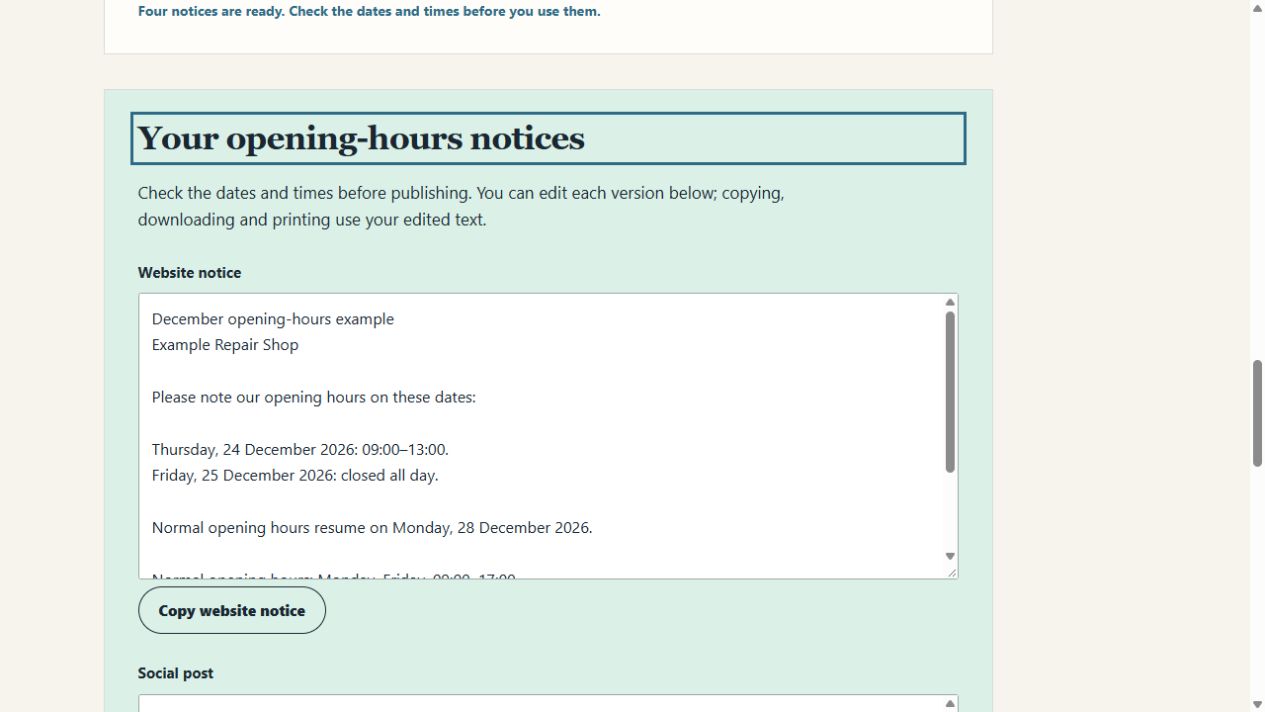
The four formats all included the short opening day, the closed day and the normal-hours resumption date. The website version read:
December opening-hours example
Example Repair Shop

Please note our opening hours on these dates:

Thursday, 24 December 2026: 09:00–13:00.
Friday, 25 December 2026: closed all day.

Normal opening hours resume on Monday, 28 December 2026.

Normal opening hours: Monday–Friday, 09:00–17:00

Contact: hello@example.invalid

Online enquiries will be answered when we reopen.
Two useful checks
Reversed times: changing the first closing time to 08:00 while leaving its opening time at 09:00 was rejected with: “For date 1, the closing time must be later than the opening time on the same day.” Restoring 13:00 allowed the notices to be generated again.
Copying edited text: after editing the website notice, the Copy website notice button copied the edited text exactly in this browser check. The email-footer copy was also checked against the entered dates and times.
Using your own details
This browser check covered the example above, its four output formats, the reversed-time message and copying edited text. Check the finished notice in the browser and print setup you intend to use.
Only the two dates entered were listed. The tool did not invent opening or closure information for 26 or 27 December. Add every date you need customers to know about, and confirm your real dates and times before using the result.
Published by Mike Cartwright for Geek Free. Read our methods and corrections policy for the distinction between researched guidance, fictional examples and documented checks.